


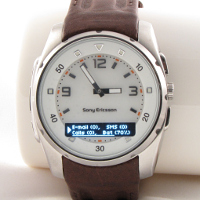
Android 2.x-Phones
Notification service using OpenWatch, Tasker and PHP
Setup Tasker
- create a new time-based profile, let it run every 5 minutes or so
- add the following actions:
- Net → HTTP Get
- Server:Port:
www.example.org(\) - Path:
/notifier/notify.php(adapt according to your setup) - Attributes: \
- Timeout:
10(default) - Mime Type:
text/plain; charset=utf-8 - Output File: \
- Server:Port:
- Tasker → Stop
- If:
[X] %HTTPDIsn’t Set
- If:
- Variable → Variable Split
- Name:
%HTTPD - Splitter:
¶ - Delete Base:
[ ]
- Name:
- Alert → Notify(you can omit this one if you like)
- Title:
Remote Notification - Text:
%HTTPD1 %HTTPD2 (%HTTPD3 seconds ago)
- Title:
- Misc → Action Intent
- Action:
com.smartmadsoft.openwatch.action.VIBRATE - Cat:
None - Data: \
- Extra:
line1:%HTTPD1 - Extra:
line2:%HTTPD2(Note: There are 2 Extra input fields) - Target:
Broadcast Receiver
- Action:
- Net → HTTP Get
- Done!
Setup Server
Put the following file onto a webserver capable of running PHP scripts (notify.php):
<?php

class DataStore {
    private $file;
    private $data = array(
        'entries' => array(),
    );
    private $modified = false;

    public function __construct( $filename = 'queue.json' ) {
        $this->file = getcwd() . '/' . $filename;
        if ( file_exists( $this->file ) ) {
            $this->load();
        }
    }

    public function __destruct() {
        if ( $this->modified ) {
            $this->save();
        }
    }

    public function add( $line1, $line2 ) {
        $this->data['entries'][] = array(
            'timestamp' => time(),
            'line1' => $line1,
            'line2' => $line2,
        );
        $this->modified = true;
    }

    public function getNext() {
        if ( $this->getCount() > 0 ) {
            $entry = array_shift( $this->data['entries'] );
            $this->modified = true;
            return $entry;
        }
        return array();
    }

    public function getCount() {
        return count( $this->data['entries'] );
    }

    private function save() {
        $json = json_encode( $this->data );
        file_put_contents( $this->file, $json, LOCK_EX );
        $this->modified = false;
    }

    private function load() {
        $fc = file_get_contents( $this->file );
        $this->data = json_decode( $fc, true );
        $this->modified = false;
    }
}

$ds = new DataStore();

header( 'Content-Type: text/plain; charset=utf-8' );
if ( isset( $_REQUEST['l1'] ) && isset( $_REQUEST['l2'] ) ) {
    // new notification ~~> store
    $ds->add( $_REQUEST['l1'], $_REQUEST['l2'] );
} else {
    // else: Display next notification, if any
    $entry = $ds->getNext();
    if ( isset( $entry['timestamp'] ) ) {
        $span = time() - $entry['timestamp'];
        echo $entry['line1'] . '¶' . $entry['line2'] . '¶' . $span;
    }
}Code language: HTML, XML (xml)
Usage
Under Linux, you can send a notification like this:
wget -O - --quiet "http://www.example.org/notifier/notify.php?l1=This+is+line1&l2=And+this+is+line2"Code language: JavaScript (javascript)